Soño
A theme for Lume that turns a spreadsheet into an image gallery site.
Features
- Spreadsheet-driven – Manage your entire gallery—images, dates, and custom metadata—from a single spreadsheet.
- Automatic image processing – Optimized thumbnails and lightbox images are generated at build time, no need to resize or optimize images separately.
- Highly customizable – Easily change the gallery layout, thumbnail size, and more via LumeCMS.
- Dynamic filtering – Custom metadata columns automatically become interactive filters, including a year range slider.
- PhotoSwipe lightbox – Click on any thumbnail to open the full image in a lightbox, with keyboard navigation, captions, zoom, and fullscreen support.
- Progressive enhancement – The gallery works without JavaScript, with hover captions and direct image links as fallbacks.
- Subgalleries – Easily create multiple gallery pages showing different subsets of your images.
How it works
- Add images to the
src/assets/images/gallery/folder. - Fill in the spreadsheet. Open
src/_data/images.odsand add a row for each image. - Configure the theme by running
deno task serveand navigating tohttp://localhost:3000/admin. You can tweak layout and style options directly in the UI. - Build and deploy. Run
lumeto build the static site in the_site/folder.
Thumbnails and lightbox images are generated automatically at build time and cached for future builds.
Gallery styles
Choose one of four layouts and one of two image fitting styles in your configuration file. This demo uses JS masonry.
Fixed height
All thumbnails share a fixed height and are filled row by row; widths vary with each image's aspect ratio.
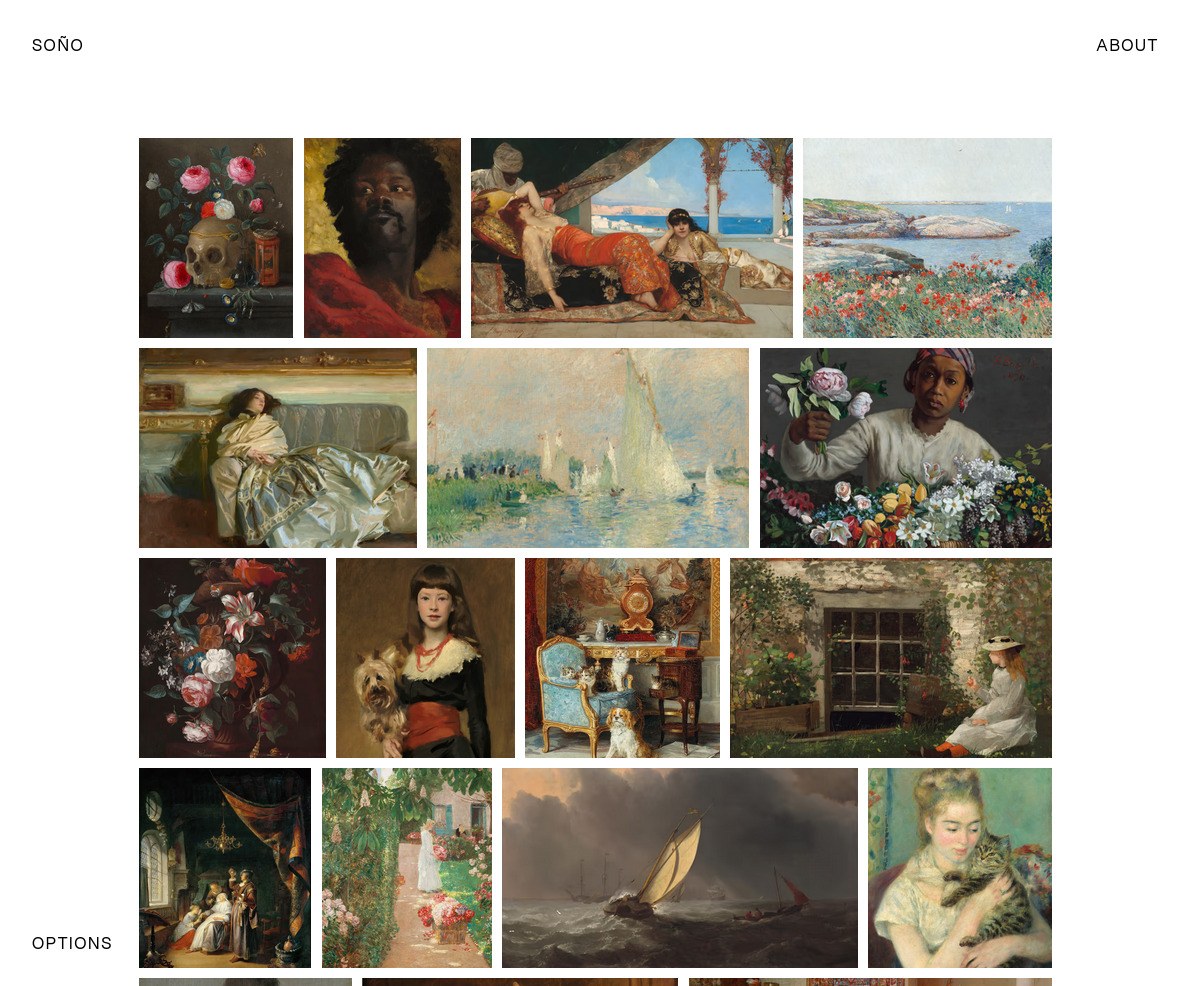
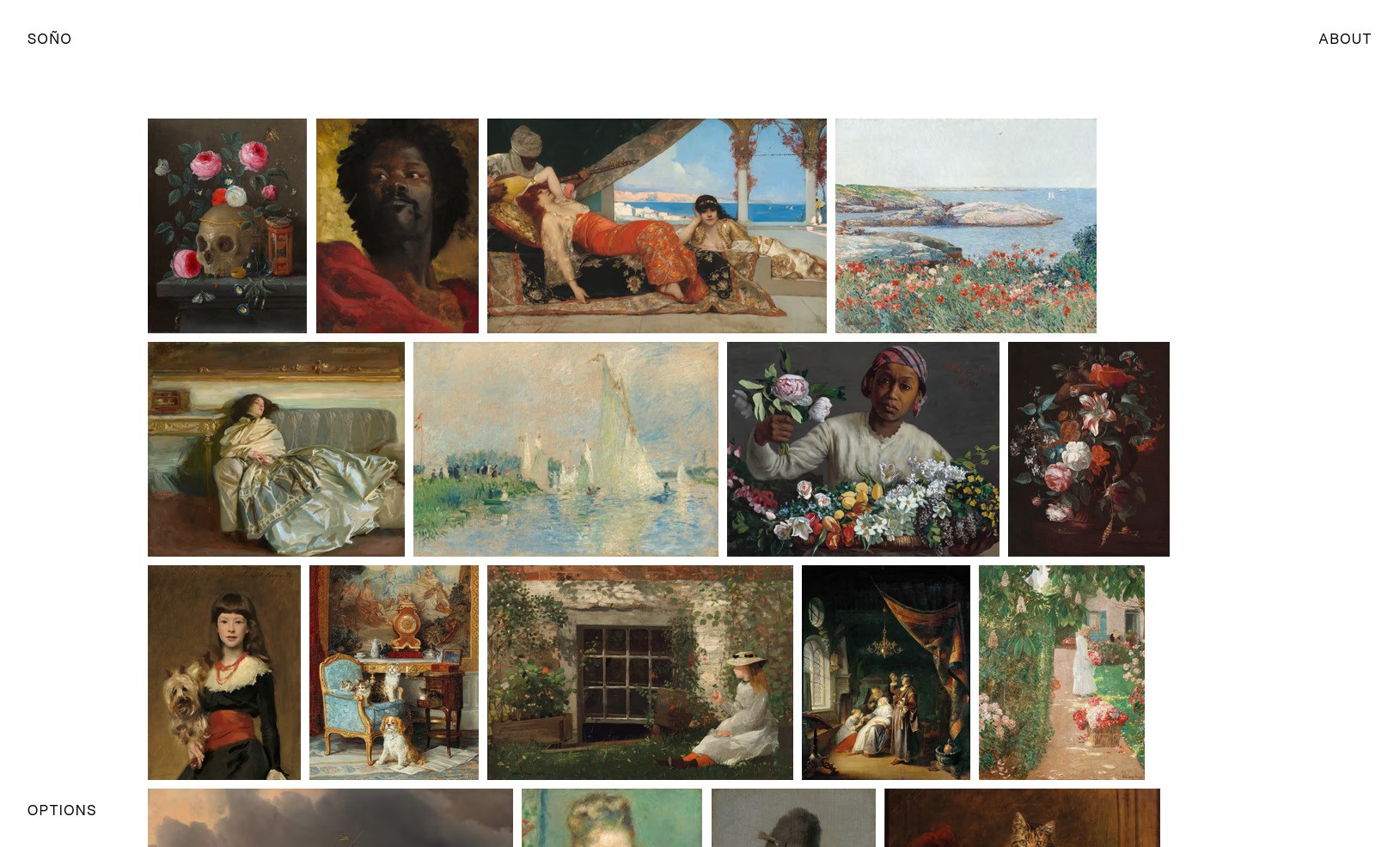
"gallery_style": "fixed-height", "image_fit": "cover", $gallery-row-gap and $gallery-column-gap: 10px. right: "gallery_style": "fixed-height", "image_fit": "contain", $gallery-row-gap and $gallery-column-gap: 10px, $gallery-justify-content: flex-start. Grid
Fixed width and height; images are cropped or letterboxed to fill their cell.
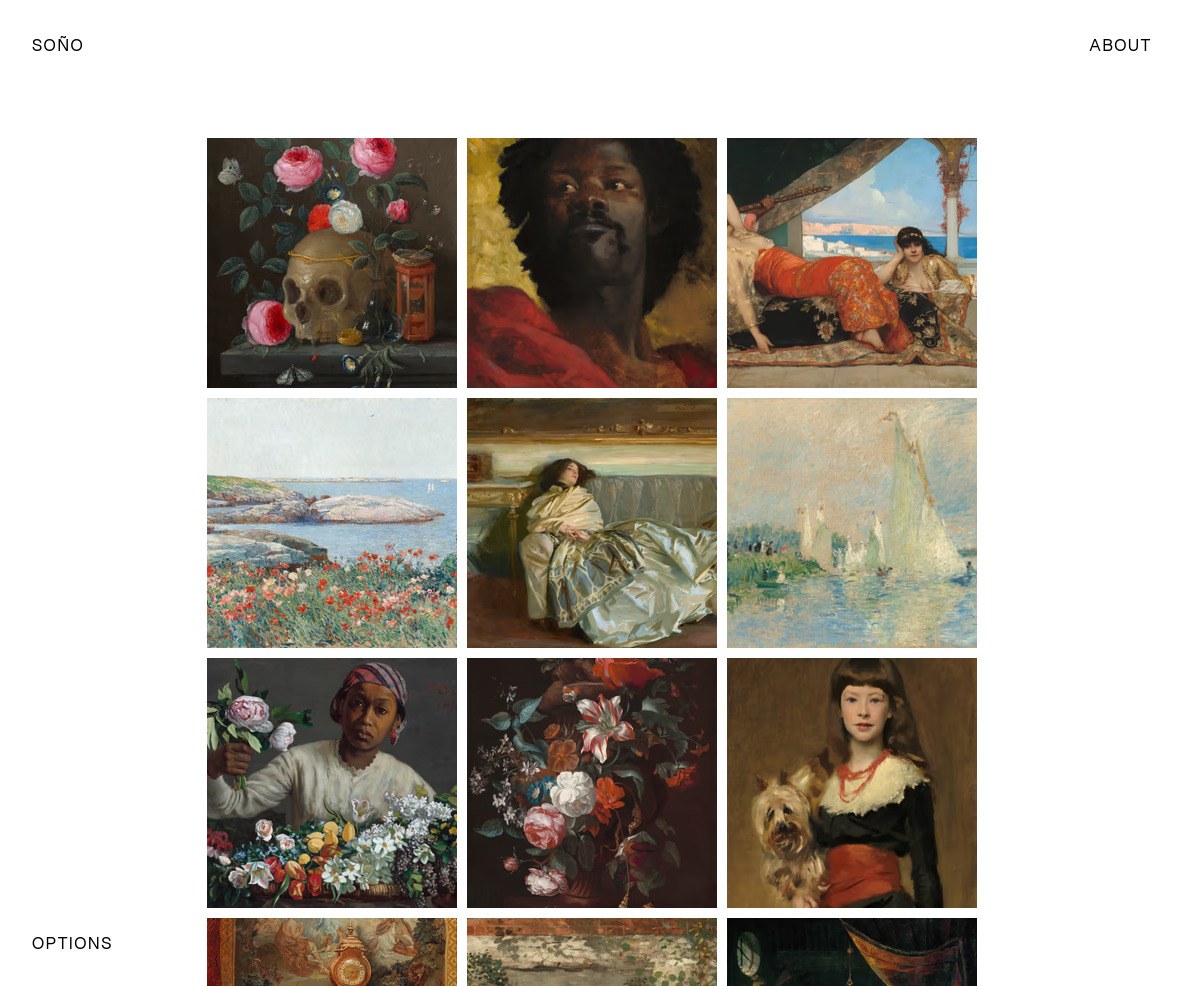
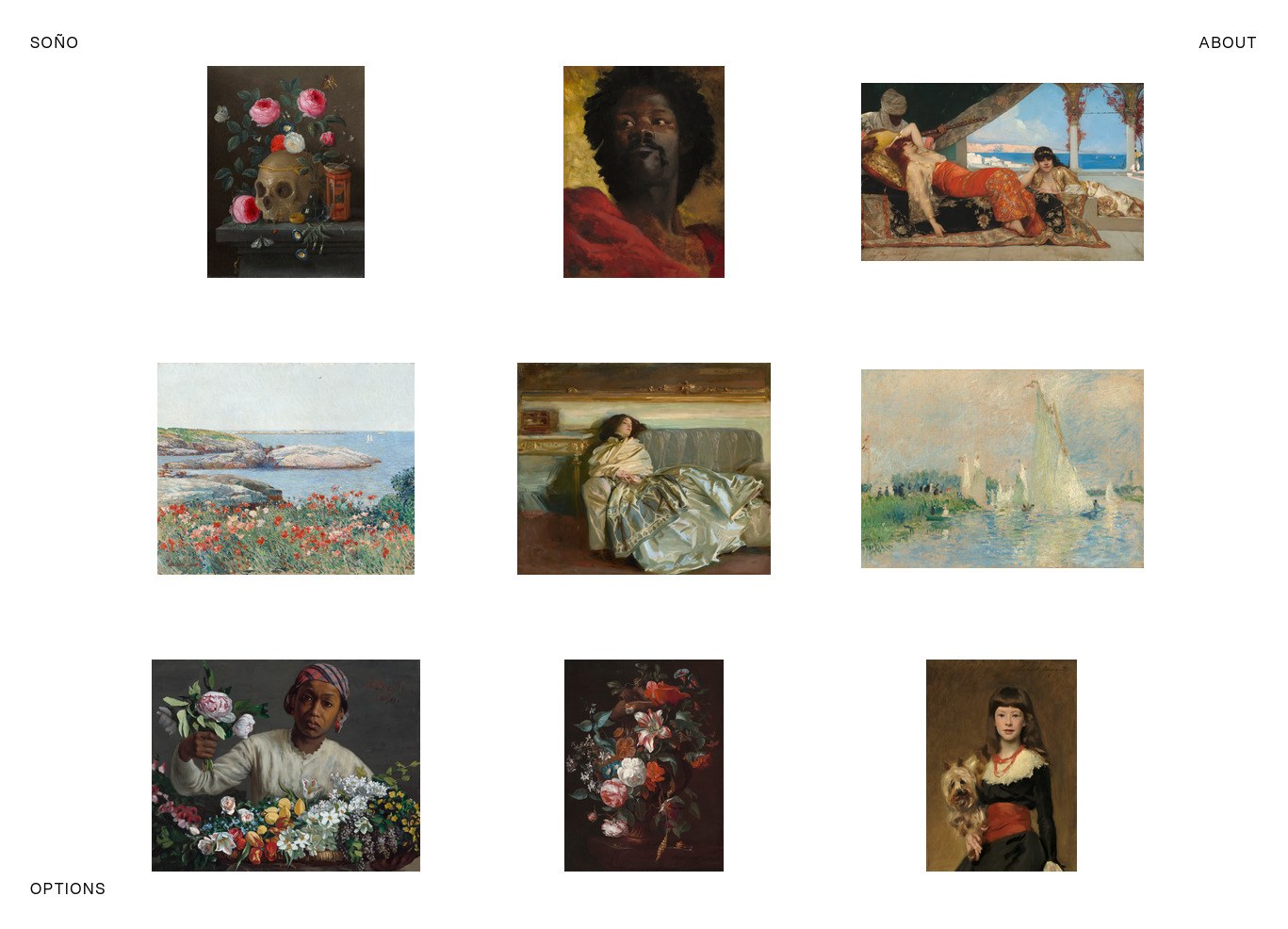
"gallery_style": "grid", "image_fit": "cover", "gallery_aspect_ratio": "1/1", $gallery-row-gap and $gallery-column-gap: 10px. right: "gallery_style": "grid", "image_fit": "contain", "gallery_aspect_ratio": "4/3", $gallery-row-gap: 90px, $gallery-column-gap: 80px. CSS masonry
Fixed width, variable height. Images flow top-to-bottom within each column before moving to the next. Note that the spacing between columns cannot be controlled.
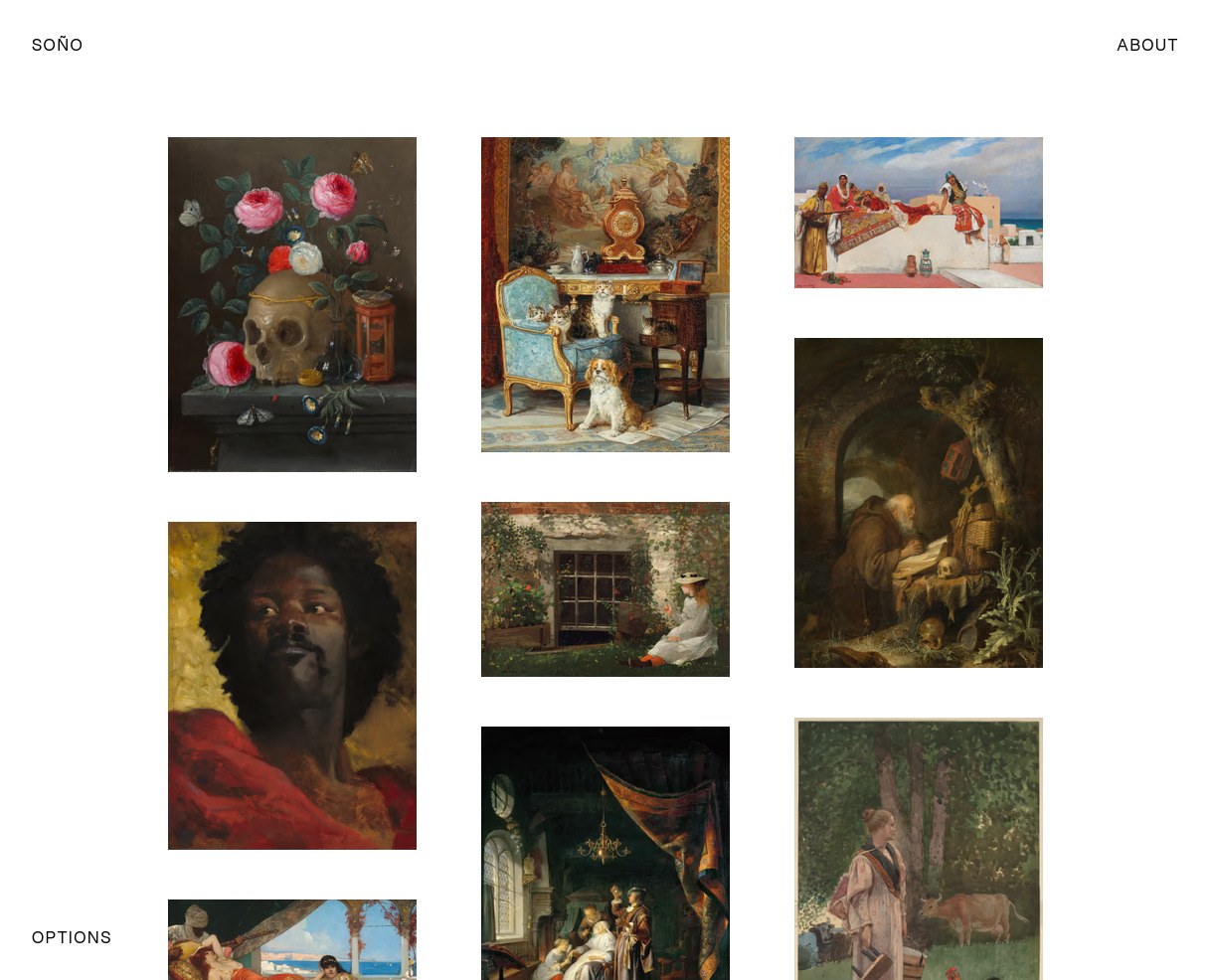
"gallery_style": "masonry-css", $gallery-row-gap: 50px.JS masonry
Fixed width, variable height. Images fill across rows. Requires JavaScript; falls back to CSS masonry if scripting is unavailable.
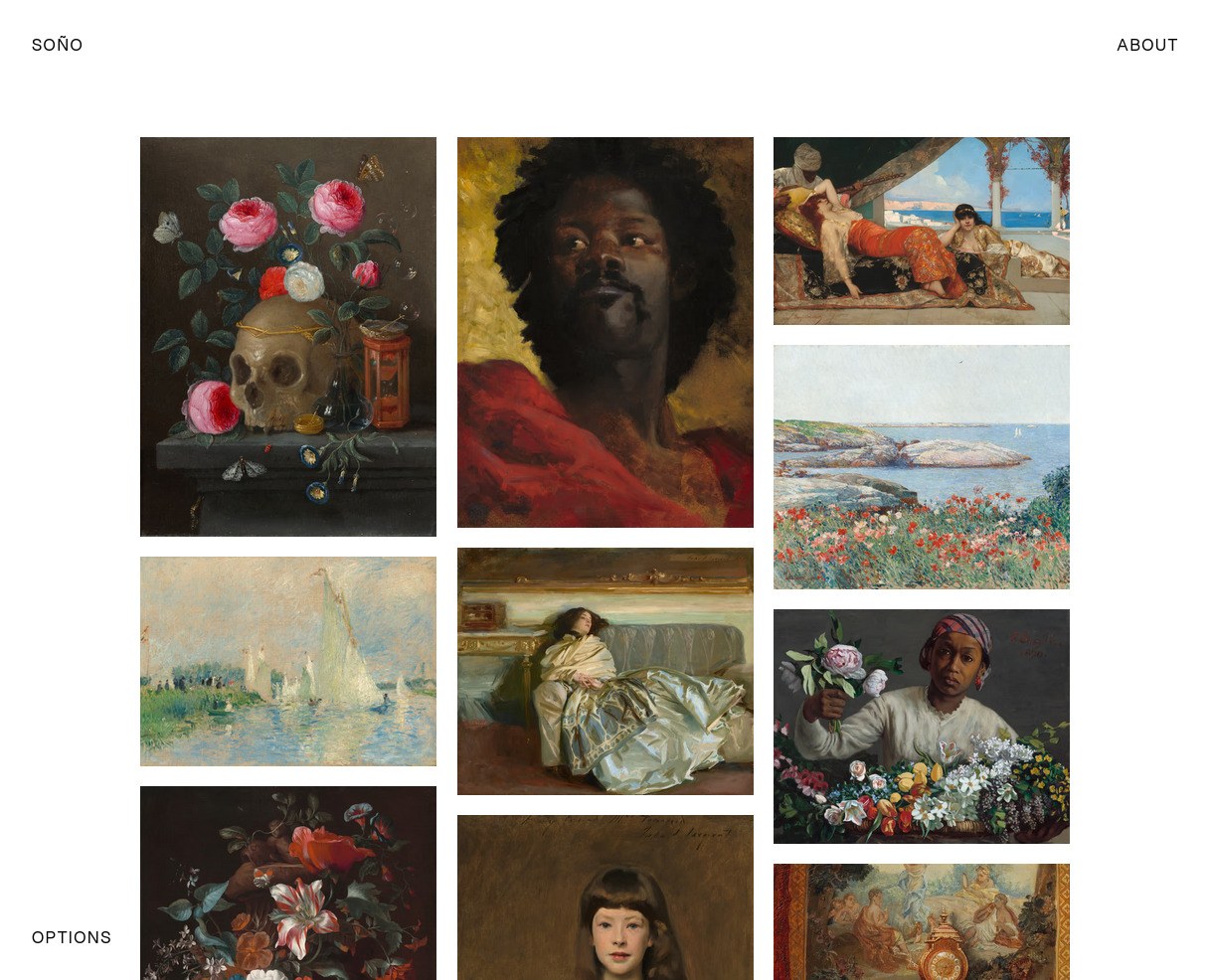
"gallery_style": "masonry-js", $gallery-row-gap and $gallery-column-gap: 20px.Spreadsheet structure
Open src/_data/images.ods in LibreOffice Calc, Microsoft Excel, or any compatible app. Add a new row for each image you want to add to the gallery.
| filename | date | alt | caption | artist | nationality | tags |
|---|---|---|---|---|---|---|
| vanitas.jpg | 1665 | A still life featuring a skull adorned with a crown | Vanitas Still Life | Jan van Kessel the Elder | Flemish | flowers |
| beatrice.jpg | 1882 | Young girl in black dress with red sash | Miss Beatrice Townsend | John Singer Sargent | American | people, animals |
The four reserved columns have specific roles:
filename(Required): The name of the image file insrc/assets/images/gallery/.date: Powers the year range slider. Works with any date format, so long as the year is the only 4-digit number.alt: Descriptive text for accessibility and screen readers.caption: The description shown in the lightbox. Supports Markdown for links and formatting.
Any other columns you add (e.g. medium, location, character, etc.) will be treated as custom metadata for the filter system. Add as many as you need to suit your work.
For multiple values in one cell, separate them with commas. For example, if a photo has multiple subjects, you could put people, animals in the tags column.
Filtering and sorting
Every custom metadata column automatically becomes a filterable attribute. If you add an artist column, visitors can filter by artist. If a column has multiple values separated by commas, e.g. people, animals, then each value can be filtered independently.
The date column drives a range slider, so visitors can browse by year.
Requirements and installation
You'll need Deno 2.x or later installed.
# Initialize a new Lume site with the Soño theme in "my-gallery" folder
deno run -A https://lume.land/init.ts --theme=sono my-gallery

# Start the development server with live reload and LumeCMS
cd my-gallery
deno task serve
Full setup instructions and configuration reference are in the README and the wiki.
Licenses
Theme code is released under the MIT License. Bundled assets have their own licenses:
- Aspekta – SIL Open Font License 1.1
- PhotoSwipe – MIT
- Dynamic caption plugin for PhotoSwipe v5 – MIT
- Macy.js – MIT
- Akar Icons – MIT
The demo images are public domain works sourced from museum open access collections.